Watches your topics. Finds your people.
A mech suit
for social media.
AI that scales your humanness without replacing it. Nothing posts without you.
AI that scales your humanness without replacing it. Nothing posts without you.
Describe what you care about in plain language — no scoring rubric, no JSON. On a cadence you set, the agent reads your feeds and surfaces the posts that match. Add as many topics as you want; each one runs in your name.
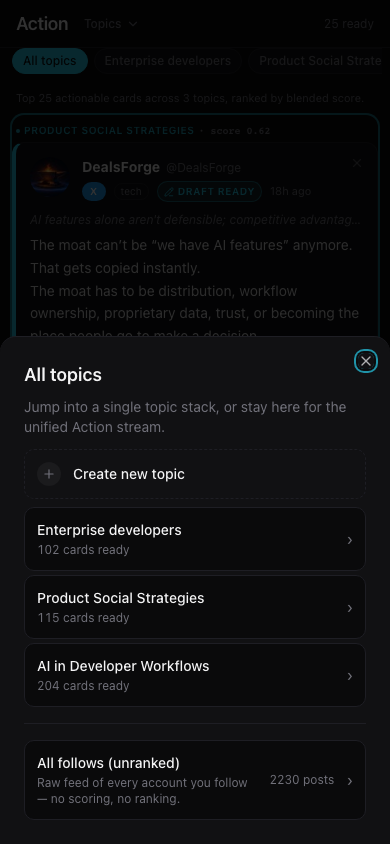
You set the topics. The agent watches the platforms. By the time you open the app, the posts worth showing up for are already waiting — drafted, copyable, ranked by how well they match what you said you care about.
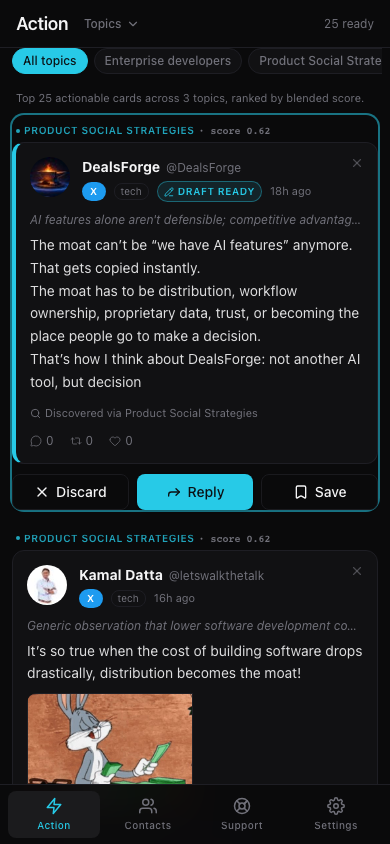
Every post the agent reads gets scored against the topics you wrote. The high scores land in Action; the noise does not. One stream across your social feeds, ranked highest-signal first. You scroll a short list and read posts that have something to do with you.
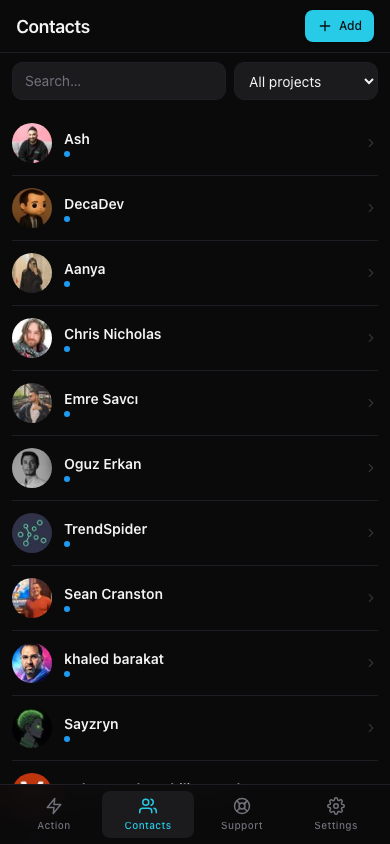
Describe the makers you'd want to talk to in a markdown paragraph. The agent surfaces them as they post about what you said you care about. Not bulk-follow. Not a template blast. The first reply you'd write yourself if you had the time.
Twelve or so posts, scored and ranked. The ones you'd be glad you saw — not the ones the algorithm wanted you to see.
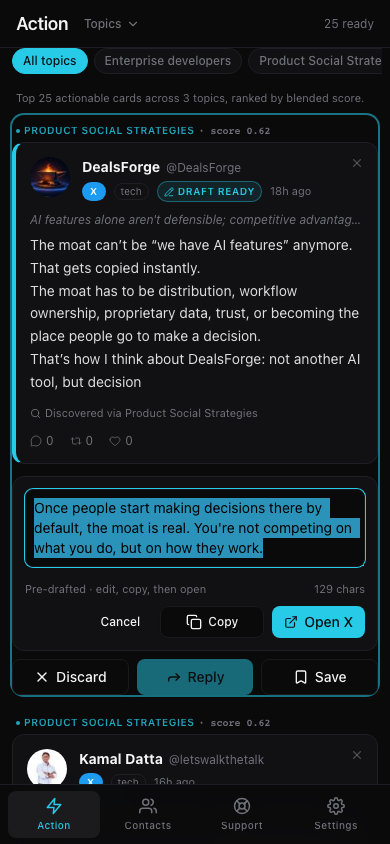
Written in your voice — from the config file you wrote, not a model's guess at you. Tighten a word if you want. Then tap Copy.
The platform loads in a new tab. You paste, edit if the moment calls for it, post yourself. The reply is your tap on the platform, not the agent's. Five minutes for three real conversations.
Three rage clips for every post by someone you actually follow — that's the algorithm doing its job, not malfunctioning. The agent reads the firehose, scores every post against what you've said you care about, and shows you only what cleared the bar. You open the app and see the makers, not the bait.
Cold DMs feel gross because they are; bulk-follow burns out fast; an agency posting from your account is just outsourcing the gross. Describe the makers you'd actually want to talk to — a markdown paragraph, no scoring rubric — and the agent surfaces them as they post about what you said you care about.
Every tool flattens your voice by week two — the agency, the queue, the auto-reply bot. Drafts here come from a config file you wrote and wait in the app — read one, tap Copy, the platform opens. Paste, edit if you want, send yourself. The post is your tap on the platform, not the agent's. You are the one on the wire.
You've been one OAuth policy change away from getting locked out since the day you signed up. This agent never asks for an API key — Playwright drives the browser you're already logged into, so the platforms see your actual session. Nothing to revoke. Nothing to lose.
Open the feed. Twelve posts, all scored, all from makers you actually follow. Two are worth a reply.
Tap Reply on the first one. A draft appears in your voice. You tighten it, tap Copy, X opens, you paste and post — yourself, on the platform, in seven seconds.
Scan for someone new. A name surfaces: shipping something adjacent to yours, posting publicly. You favorite them. Tomorrow you reply with something real.
"Give us a mech suit instead of a feed and we'll fly as a network."
@uuinfred
The algorithm broke the deal. It rewarded shock over signal, whipped you back the moment you tried to engage on your own terms, and made every business one ranking change away from the wall.
Real influence was always just scaled word-of-mouth — makers tuned into other makers, sharing what they built and learned. That's the primitive the network ran on before advertising turned it into a tragedy of the commons. Auto-reply bots are the counterfeit; your peers see through them in a week and remember whose account it was.
The platforms still prefer a real logged-in human over nothing. You show up on your terms; they get real engagement; the network gets signal — it's win-win-win for all of us.
Open a headed browser, sign in to X and LinkedIn, close the window. Playwright saves the session to a persistent profile. You never type the password again.
bash launchd/install.sh --apply drops two LaunchAgents into ~/Library/LaunchAgents/. The scraper wakes on a cadence you set to pull your feed. The Astro server stays live. Tailscale Serve or bundled Caddy handles HTTPS.
Open the PWA on iOS Safari and tap "Add to Home Screen." Scroll the scored feed; on each card the agent's draft reply is one tap away. Edit, tap Copy, the platform opens — paste, hit send yourself. The agent never posts; you do.
This is for you if
launchd agent is, or you're willing to learn in an afternoon.
This is not for you if
The hostile read of that list is "elitist." We hear it. Diluting the audience costs more than the readers who bounce.
Source-available lets the vendor change the rules later. MIT doesn't. If we get hit by a bus, you can fork, sell, or run the thing forever. The license is the trust receipt; anything narrower would contradict the pitch.
The whole product is your real logged-in session driving a real browser. A managed cloud would mean us holding your platform cookies on a shared server — the exact thing every previous tool got wrong. We'd rather ship something narrower and honest than something broader that pretends.
No. There are no servers. The scraper, the classifier, the drafter, and the SQLite database all live on the Mac you installed it on. The marketing site you're reading is static HTML with no analytics. We don't have your data because we never see it.
A used Mac mini covers it — it idles, sleeps when it's done, and wakes on a timer. If that's a non-starter, this product probably isn't a fit yet. We'd rather say that than sell you a workaround that flakes in month two.
The agent doesn't post — you do. Every reply is a manual tap from your phone or laptop, in a session you logged into yourself. The platforms see a real human reading and replying because that's what's happening. They prefer that over nothing; the entire bet rides on it.
The entire agent — scraper, classifier, drafter, prospect scout, and PWA — is ~2,000 lines of TypeScript you can read in an afternoon. SQLite on your machine. No cloud account, no vendor, no telemetry. Fork it, mod the voice config, change the scoring thresholds. It's yours.